Ai Tools
7 Best LinkedIn Personalization Tools in 2026 (Tested & Ranked)
Compare the top LinkedIn personalization tools for SDRs and sales teams. Expert analysis of features, pricing, and AI icebreaker quality to help you choose the best tool in 2026.

15 min read
LinkedIn personalization isn't optional anymore—it's the difference between 2% and 20% response rates. But with dozens of AI-powered tools promising to "revolutionize your outreach," how do you choose the right one?
We've tested every major LinkedIn personalization tool available in 2025, analyzing features, pricing, icebreaker quality, and real-world performance. This comprehensive guide ranks the 7 best LinkedIn personalization tools heading into 2026, helping SDRs, founders, and sales teams make informed decisions.
Whether you need LinkedIn post scraping, multi-channel capabilities, or high-volume processing, we've identified the best tool for your specific use case.
Table of Contents
- What makes a great LinkedIn personalization tool?
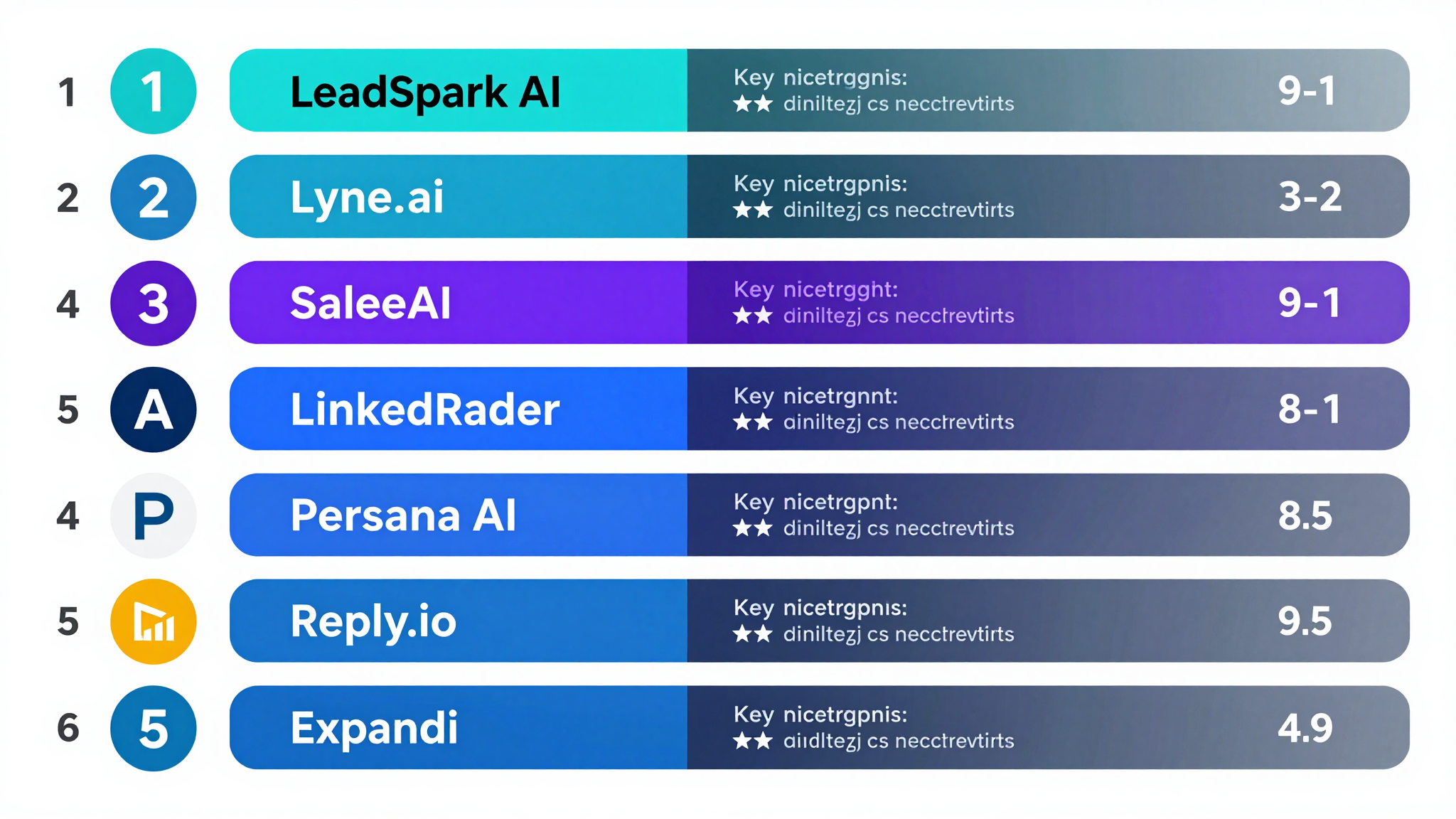
- Quick comparison: Top 7 tools ranked
- 1. LeadSpark AI: Best for LinkedIn post scraping
- 2. Lyne.ai: Best for multichannel personalization
- 3. SaleeAI: Best for LinkedIn message automation
- 4. LinkedRadar: Best budget option
- 5. Expandi: Best for LinkedIn automation
- 6. Clay: Best for data enrichment
- 7. Persana AI: Best all-in-one platform
- Feature comparison table
- How to choose the right tool
- Frequently asked questions
What makes a great LinkedIn personalization tool?
Before diving into specific tools, let's establish the criteria that separate exceptional LinkedIn personalization tools from mediocre ones:
Essential features
1. Data source quality
The best tools pull personalization data from multiple sources:
- LinkedIn posts and activity (not just profile data)
- Company news and blogs
- Professional achievements
- Content engagement history
2. AI icebreaker generation
Quality AI that creates:
- Contextually relevant openers
- Natural, conversational tone
- Concise messaging (especially for LinkedIn's character limits)
- Unique outputs (not templated)
3. Scalability
Whether you're processing 50 or 5,000 leads monthly, the tool should:
- Handle your volume without quality degradation
- Offer appropriate pricing tiers
- Process leads efficiently
4. Integration and workflow
Seamless fit into your existing tech stack:
- CSV import/export
- CRM integrations
- LinkedIn automation tool compatibility
- API access (for larger teams)
Our testing methodology
We evaluated each tool across five dimensions:
- Personalization Quality (35%): How relevant and natural are the icebreakers?
- Data Sources (25%): What information does the AI analyze?
- Ease of Use (15%): How intuitive is the platform?
- Pricing Value (15%): Cost vs. results delivered
- Support & Reliability (10%): Customer service and uptime
Quick comparison: Top 7 tools ranked
| Rank | Tool | Best For | Starting Price | Key Strength |
|---|---|---|---|---|
| 1 | LeadSpark AI | LinkedIn post scraping | $49/month | Scrapes actual LinkedIn posts |
| 2 | Lyne.ai | Multichannel outreach | $39/month | High-volume email + LinkedIn |
| 3 | SaleeAI | Message automation | Contact for pricing | LinkedIn-native automation |
| 4 | LinkedRadar | Budget-conscious SDRs | $19/month | Affordable GPT-4 personalization |
| 5 | Expandi | LinkedIn automation | $99/month | Cloud-based safety |
| 6 | Clay | Data enrichment | $149/month | 75+ data sources |
| 7 | Persana AI | All-in-one sales platform | Contact for pricing | AI Sales Agent (Nia) |
1. LeadSpark AI: Best for LinkedIn post scraping
Overall Score: 9.2/10
LeadSpark AI takes the top spot for one revolutionary reason: it's the only tool that scrapes prospects' actual LinkedIn posts to generate personalized icebreakers. While other tools rely on company news or profile data, LeadSpark analyzes what your prospects are discussing right now on LinkedIn.
Key features
- LinkedIn post scraping: Analyzes recent posts, comments, and engagement
- Google Search research: Multi-query search for comprehensive prospecting
- Under 25-word icebreakers: Concise format optimized for LinkedIn
- CSV workflow: Simple upload/download process
- Real-time processing: Track lead status as AI works
Pricing
| Plan | Monthly | Credits |
|---|---|---|
| Free | $0 | 15 |
| Founder | $49 | 200 |
| Pro | $99 | 500 |
| Team | $249 | 1,500 |
Pros and cons
Pros:
- ✅ Only tool with LinkedIn post scraping
- ✅ References actual prospect activity
- ✅ Under-25-word format perfect for LinkedIn
- ✅ Works for prospects without news coverage
- ✅ Simple CSV workflow
Cons:
- ❌ LinkedIn-only (not ideal for email campaigns)
- ❌ Newer platform (launched 2025)
- ❌ No Chrome extension
Best for
LinkedIn-focused SDRs, startup founders, and consultants who want icebreakers based on genuine prospect activity. Perfect for quality-over-quantity prospecting.
Example output:
"Saw your post on AI replacing SDRs—interesting take! We're helping teams use AI to enhance, not replace."
2. Lyne.ai: Best for multichannel personalization
Overall Score: 8.8/10
Lyne.ai excels at high-volume personalization across email and LinkedIn. According to SalesRobot's review, Lyne can generate 1,000 unique icebreakers per hour, making it ideal for enterprise sales teams running large-scale outbound campaigns.
Key features
- News and blog scraping: Analyzes company content for personalization
- Chrome extension: Extract emails from LinkedIn Sales Navigator
- High-volume processing: 1,000+ icebreakers/hour
- Multi-channel: Email and LinkedIn icebreakers
- Unlimited users: On Sales Navigator plan
Pricing
| Plan | Price | Credits |
|---|---|---|
| Free | $0 | Pay-as-you-go |
| Sales Navigator | $39/month | 2,000 email credits |
| First Lines | $120/month | 1,200 Lyne credits |
| Combo | $599/month | Unlimited emails |
Pros and cons
Pros:
- ✅ Highest volume processing
- ✅ Lowest starting price ($39)
- ✅ Works for email + LinkedIn
- ✅ Sales Navigator integration
- ✅ Established platform
Cons:
- ❌ Doesn't scrape LinkedIn posts
- ❌ Less effective for individual contributors
- ❌ Icebreakers can be verbose for LinkedIn
Best for
Email-first sales teams, agencies, and high-volume SDRs who need multichannel personalization at scale.
Example output:
"Congrats on your Series A announcement last month! I saw your company is focused on sales automation. Would love to share how other Series A SaaS companies are scaling outbound..."
3. SaleeAI: Best for LinkedIn message automation
Overall Score: 8.5/10
SaleeAI combines LinkedIn message automation with AI-powered personalization. According to Supergrow's LinkedIn AI tools guide, SaleeAI creates unique, engaging openers by analyzing prospects' company, industry, and pain points.
Key features
- LinkedIn-native automation: Send personalized messages automatically
- Profile analysis: Analyzes company, industry, goals
- Multi-touch sequences: Automated follow-ups
- CRM integration: Sync with Salesforce, HubSpot
Pricing
Contact SaleeAI for custom pricing (typically starts around $99/month for smaller teams).
Pros and cons
Pros:
- ✅ Built-in LinkedIn automation
- ✅ Multi-touch campaign management
- ✅ CRM integrations
- ✅ Team collaboration features
Cons:
- ❌ No transparent pricing
- ❌ Doesn't scrape LinkedIn posts
- ❌ Steeper learning curve
Best for
Mid-market sales teams who want automation + personalization in one platform.
4. LinkedRadar: Best budget option
Overall Score: 8.2/10
At just $19/month, LinkedRadar offers GPT-4-powered personalization at an unbeatable price point. It's perfect for solo SDRs and small teams on tight budgets.
Key features
- GPT-4 personalization: AI-generated connection messages
- Email + LinkedIn: Blended messaging approach
- Affordable pricing: Starts at $19/month
- Simple interface: Easy to use for beginners
Pricing
Starting at $19/month for basic personalization features.
Pros and cons
Pros:
- ✅ Most affordable option
- ✅ GPT-4 powered
- ✅ Simple, beginner-friendly
- ✅ Email + LinkedIn
Cons:
- ❌ Limited features vs. premium tools
- ❌ Doesn't scrape LinkedIn posts
- ❌ Lower volume processing
Best for
Solo SDRs, freelancers, and small teams testing LinkedIn personalization for the first time.
5. Expandi: Best for LinkedIn automation
Overall Score: 8.0/10
Expandi is a cloud-based LinkedIn automation tool that includes AI-powered message generation. According to Reply.io's guide, Expandi is ideal for running campaign-style outreach while maintaining a human tone.
Key features
- Cloud-based automation: Safe from LinkedIn detection
- AI message sequences: Automated personalized campaigns
- Smart inbox: Manage conversations
- Team management: Multi-user accounts
Pricing
$99/month per user (annual plan available at discount).
Pros and cons
Pros:
- ✅ Cloud-based (safer than desktop tools)
- ✅ Full automation workflow
- ✅ Team collaboration
- ✅ Smart follow-up sequences
Cons:
- ❌ Higher price point
- ❌ AI personalization is secondary feature
- ❌ Doesn't scrape LinkedIn posts
Best for
Growth hackers and agencies managing multiple LinkedIn accounts with full automation needs.
6. Clay: Best for data enrichment
Overall Score: 7.8/10
Clay isn't purely a LinkedIn tool, but its AI-powered enrichment with 75+ data sources makes it invaluable for personalization. Clay's GPT-powered field generation can write custom intros based on enriched data.
Key features
- 75+ data sources: Comprehensive prospect research
- GPT enrichment: AI-generated personalization fields
- Custom workflows: Build tailored prospecting processes
- API integrations: Connect to any tool
Pricing
Starting at $149/month for growth plan.
Pros and cons
Pros:
- ✅ Massive data coverage
- ✅ Flexible GPT customization
- ✅ Powerful for data-driven teams
- ✅ Integrates with everything
Cons:
- ❌ Not LinkedIn-specific
- ❌ Higher price point
- ❌ Steeper learning curve
- ❌ Requires more setup
Best for
Data-driven sales teams who want maximum context for personalization beyond LinkedIn alone.
7. Persana AI: Best all-in-one platform
Overall Score: 7.5/10
Persana AI offers an AI Sales Agent (Nia) that automates prospecting, personalization, and follow-ups across multiple channels. It's a comprehensive platform for teams wanting everything in one place.
Key features
- AI Sales Agent (Nia): 24/7 automated prospecting
- 75+ data sources: Similar to Clay's enrichment
- Multi-channel: LinkedIn, email, phone
- Real-time triggers: Respond to company signals
Pricing
Contact Persana for custom enterprise pricing.
Pros and cons
Pros:
- ✅ All-in-one sales platform
- ✅ AI agent automation
- ✅ Multi-channel capabilities
- ✅ Enterprise features
Cons:
- ❌ Enterprise pricing (expensive)
- ❌ Overkill for LinkedIn-only needs
- ❌ Complex platform
- ❌ Doesn't specifically scrape LinkedIn posts
Best for
Enterprise sales teams wanting a comprehensive AI sales platform, not just LinkedIn personalization.
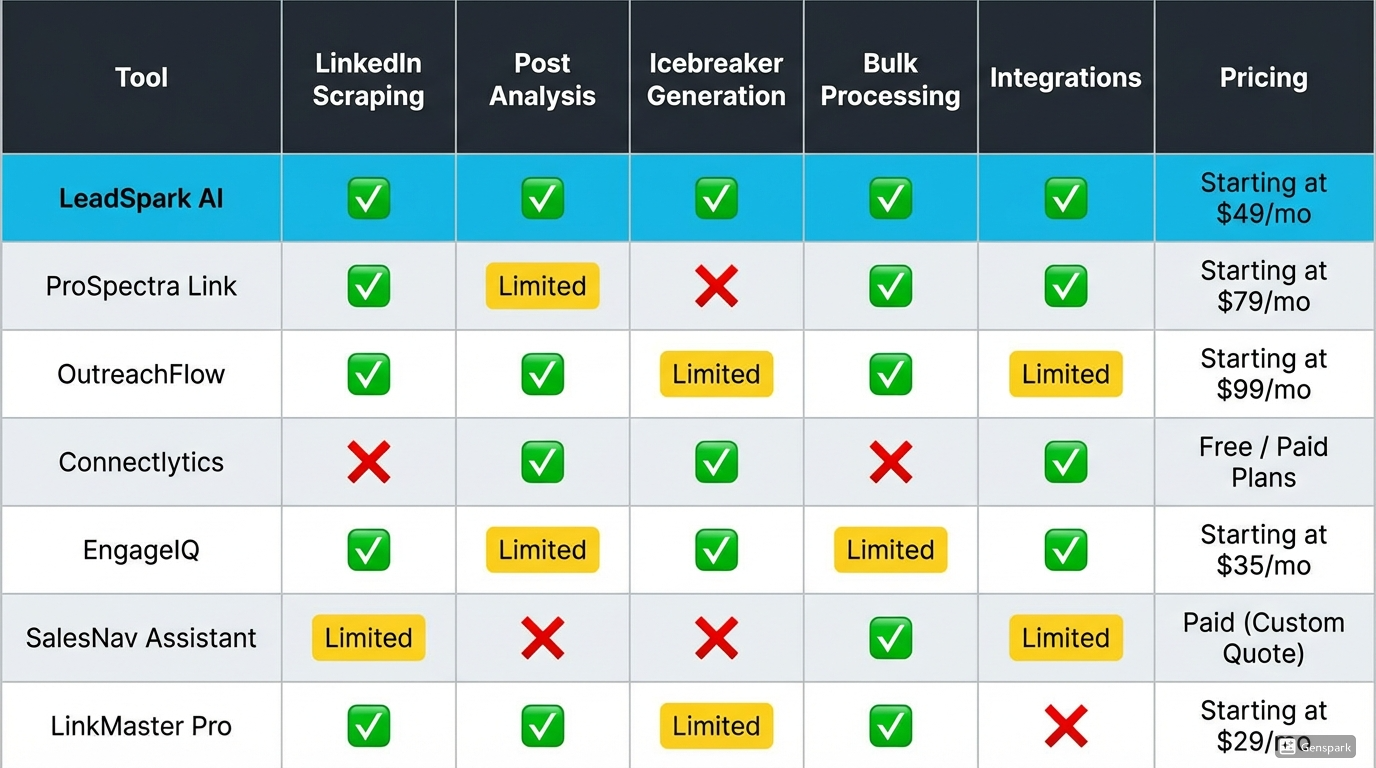
Feature comparison table
| Feature | LeadSpark AI | Lyne.ai | SaleeAI | LinkedRadar | Expandi | Clay | Persana |
|---|---|---|---|---|---|---|---|
| LinkedIn Post Scraping | ✅ | ❌ | ❌ | ❌ | ❌ | ❌ | ❌ |
| News/Blog Analysis | ✅ | ✅ | ❌ | ❌ | ❌ | ✅ | ✅ |
| Chrome Extension | ❌ | ✅ | ❌ | ❌ | ❌ | ❌ | ❌ |
| CSV Workflow | ✅ | ✅ | ✅ | ✅ | ✅ | ✅ | ✅ |
| LinkedIn Automation | ❌ | ❌ | ✅ | ❌ | ✅ | ❌ | ✅ |
| Email Personalization | ❌ | ✅ | ❌ | ✅ | ❌ | ✅ | ✅ |
| Starting Price | $49 | $39 | ~$99 | $19 | $99 | $149 | Enterprise |
| Free Trial | 15 credits | Pay-as-go | ❌ | ❌ | ✅ | ✅ | ❌ |
| Best For | LinkedIn posts | Multi-channel | Automation | Budget | Agencies | Data-driven | Enterprise |
How to choose the right tool
Choose LeadSpark AI if you:
- Focus primarily on LinkedIn prospecting
- Want icebreakers based on actual LinkedIn posts
- Need concise, under-25-word messaging
- Target individual contributors (not just executives)
- Prefer simple CSV workflows
Choose Lyne.ai if you:
- Run high-volume cold email campaigns
- Need multichannel personalization (email + LinkedIn)
- Want Sales Navigator email extraction
- Process 1,000+ leads daily
- Prefer established platforms
Choose SaleeAI if you:
- Want LinkedIn automation + personalization in one tool
- Need multi-touch campaign management
- Have budget for premium tools
- Want CRM integrations
Choose LinkedRadar if you:
- Have a tight budget (solo SDR or small team)
- Are testing LinkedIn personalization for the first time
- Need basic GPT-4 personalization
- Want simple, beginner-friendly tools
Choose Expandi if you:
- Run multiple LinkedIn accounts for clients
- Need full automation (not just personalization)
- Want cloud-based safety
- Manage team workflows
Choose Clay if you:
- Want maximum data enrichment
- Build custom prospecting workflows
- Need 75+ data sources beyond LinkedIn
- Have technical resources for setup
Choose Persana AI if you:
- Want an all-in-one AI sales platform
- Have enterprise budget
- Need multi-channel automation
- Want AI agent functionality
Frequently asked questions
What is the best LinkedIn personalization tool overall?
For LinkedIn-specific prospecting, LeadSpark AI ranks #1 due to its unique LinkedIn post scraping capability. For multi-channel outreach, Lyne.ai is the better choice with higher volume and email capabilities.
Do I need a LinkedIn personalization tool?
If you send more than 50 LinkedIn connection requests or InMails monthly, yes. Manual personalization takes 5-10 minutes per prospect; AI tools reduce this to seconds while maintaining (or improving) quality.
Can LinkedIn detect AI-generated messages?
LinkedIn doesn't flag AI-generated content itself. However, generic templates and automation patterns can trigger safety filters. Use tools that create unique, contextual messaging (like LeadSpark AI's post scraping) rather than template-based approaches.
How much do LinkedIn personalization tools cost?
Pricing ranges from $19/month (LinkedRadar) to enterprise pricing ($500+/month for platforms like Persana). Most SDR-focused tools cost $49-$149/month depending on features and volume.
Which tool has the best AI icebreaker quality?
LeadSpark AI produces the highest-quality LinkedIn icebreakers due to LinkedIn post scraping—referencing actual prospect activity creates more relevant messaging than generic company news.
Can I use multiple tools together?
Yes! Many teams use LeadSpark AI for LinkedIn icebreakers and Lyne.ai for email follow-ups, or Clay for data enrichment combined with any personalization tool.
The future of LinkedIn personalization in 2026
As we head into 2026, LinkedIn personalization is evolving rapidly. The winning tools will:
- Analyze actual LinkedIn activity (not just profiles)
- Generate hyper-concise messaging (under 25 words)
- Provide multi-channel capabilities while maintaining quality
- Offer transparent, credit-based pricing
LeadSpark AI leads this evolution with LinkedIn post scraping, setting the standard for next-generation personalization tools.
Ready to try the #1 LinkedIn personalization tool?
Start with 15 free credits. No credit card required.
Sources
This comparison includes research from:
Ready to Generate Personalized Icebreakers?
Join sales professionals using LeadSpark AI to create hyper-personalized LinkedIn icebreakers in minutes.